YOU FILM. CHOOSE WHO EDITS.

Your videos.
Two ways to finish.

Edit them yourself with Clippy’s Mac app. Or have our team do the work. Either way, you keep the creative say.

Hard drive · SSD · SD card You approve the result
Generated product illustration of a Mac editing workstation with an external SSD and SD card
GENERATED PRODUCT ILLUSTRATIONFrom your camera to your next post.
IMPORTAUTO-EDITAPPROVESCHEDULEPUBLISH
PICK YOUR PATH

You do it.
Or we do it for you.

Software access and human editing are two separate services. Choose the one that fits your time and workflow.

OPTION 1 / DO IT YOURSELF

You’re the creator.
Clippy’s your editor.

Use the Mac app to turn recordings into captioned, polished videos, then review and manage your YouTube publishing.

  • Connect your drive and scan for new footage
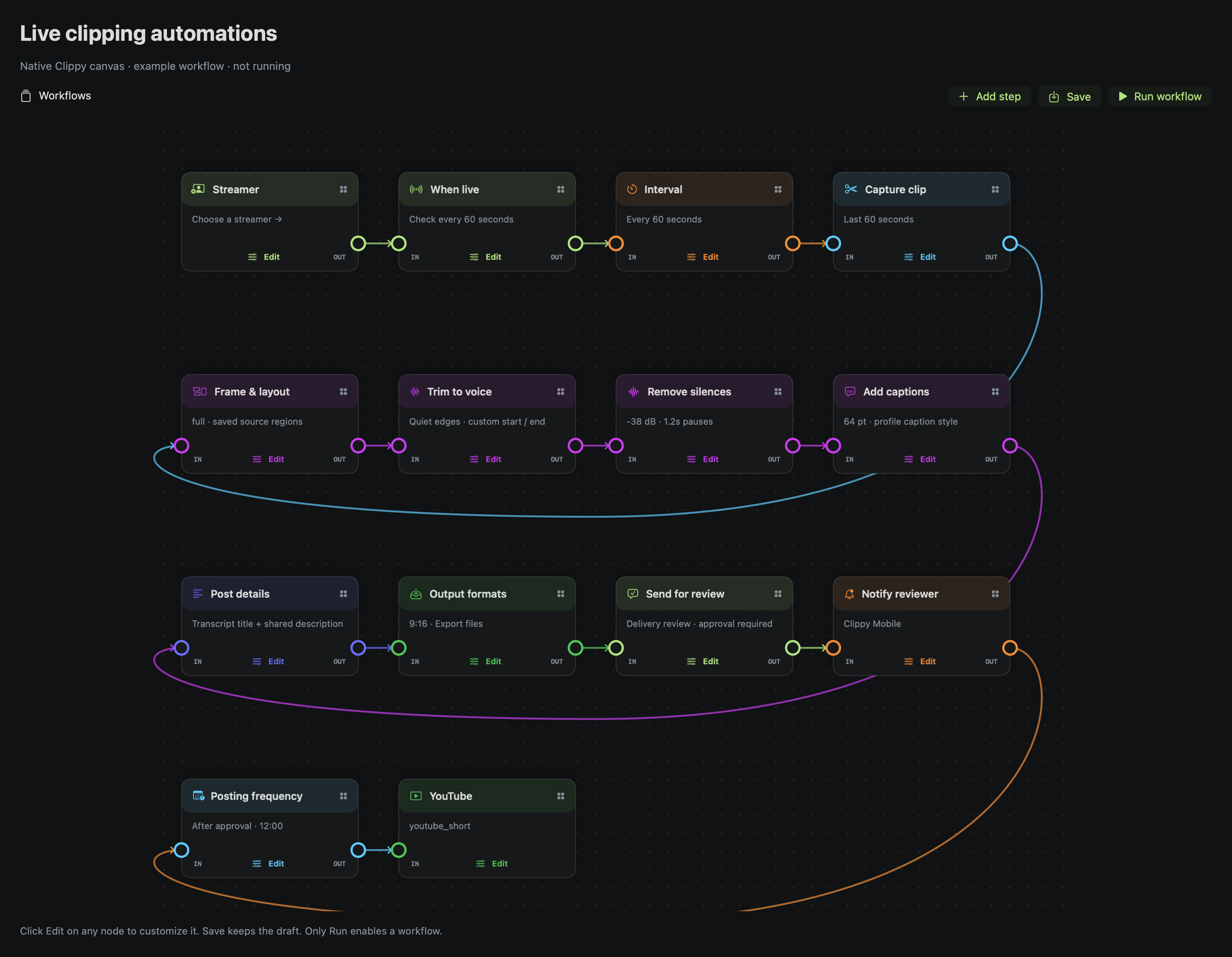
  • Automate your saved editing recipe
  • Review, refine, and approve each video
  • Manage multiple YouTube channels and schedules
Get Clippy · $29/month Or $249 once for 12 months, with no automatic renewal. Beta access by request; paid checkout is not open yet.
OPTION 2 / DONE FOR YOU

You film.
Our team edits.

Send us your footage and creative brief. We do the editing, share finished cuts in your private workspace, and work through your feedback.

  • Tell us your style, goals, and deliverables
  • Upload footage after your project is accepted
  • Our team edits and sends the finished files
  • Review, request changes, and approve delivery
Have us edit your videos Quoted separately. Scope, price, revisions, and delivery timing are agreed before paid work starts. Deliveries currently download from your web workspace.
THE DO-IT-YOURSELF WORKFLOW

Plug in your footage.
Build your publishing rhythm.

Choose the settings once, use them across a batch, and stay in control at the approval step.

  1. 01

    Film. Connect. Import.

    Record your content, then connect your hard drive, SSD, or SD card. Choose the footage folder and let Clippy scan for new videos.

  2. 02

    Set your editing recipe.

    Choose your captions, framing, silence settings, audio treatment, and punch-ins. Preview the result and apply it to a batch or a selected group.

  3. 03

    Let Clippy do the first edit.

    With those options enabled, Clippy transcribes, adds captions, trims the beginning and end, shortens silences, normalizes audio, and adds punch-ins.

  4. 04

    Watch it. Make it yours.

    Review each finished video. Adjust captions, cuts, audio, and zooms where needed, then approve the version you want to publish.

  5. 05

    Prepare your YouTube post.

    Generate a title, description, and tags from the transcript. Review the details and use the connected YouTube channel for that project.

  6. 06

    Set the rhythm. Keep creating.

    Choose posting days, times, and time zone. Enable automatic publishing: each new eligible, approved video fills the next available slot and uploads to YouTube.

Autopilot starts with your approval. Connect the correct channel, set its audience and schedule, and enable automatic publishing. Keep Clippy running, your Mac online, and the export drive connected until uploads finish. Once YouTube confirms the scheduled upload, YouTube handles the release at that time. Account permissions and YouTube restrictions still apply.

INSIDE YOUR STUDIO

See the edit.
Hear the difference.

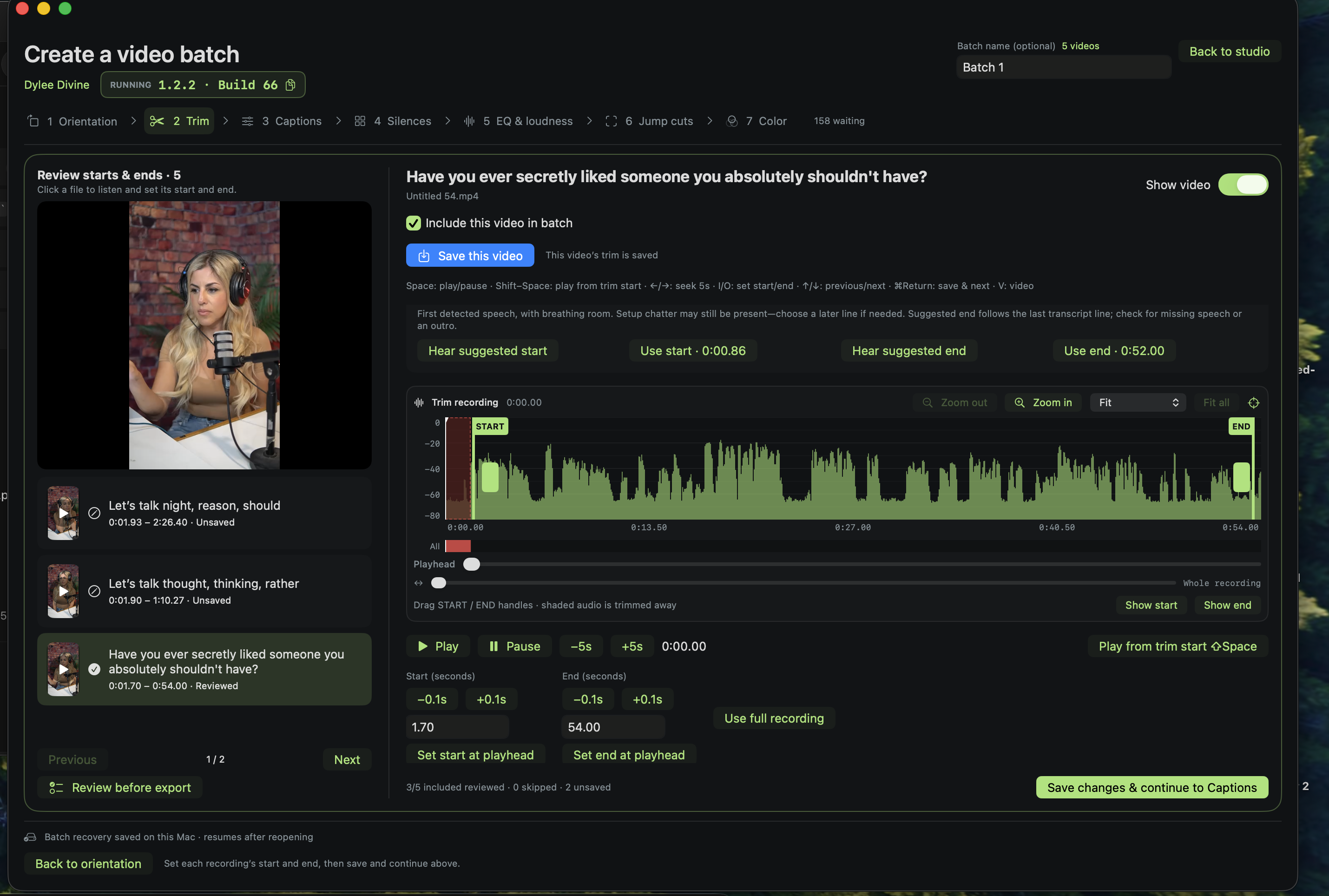
Dedicated screens for captions, pauses, audio, framing, and your content calendar. You can preview and fine-tune before you approve.

Generated Clippy interface illustration showing caption editing, audio waveforms and EQ, and a publishing calendar
Generated interface illustration. These visuals explain the workflow; the current beta interface may differ.

Captions & framing

Drag captions into place. Change the size, style, and safe-area guides, then keep that look across your batch.

Silences & cuts

See quiet sections on the waveform, adjust the cut boundaries, and preview playback that skips the removed sections.

EQ & loudness

Listen while adjusting voice EQ, noise treatment, and normalization. Save the sound you want for future recordings.

Jump cuts

Preview before and after side by side. Dial in zoom strength, close-up length, and spacing while captions stay fixed.

Publishing calendar

Choose your posting rhythm, place approved videos into slots, and see upload progress and YouTube-confirmed scheduling status.

Multiple channels

Connect and manage YouTube channels in separate creator projects, each with its own footage, defaults, and publishing schedule.

One long recording. More possibilities.

Import up to three hours, transcribe locally, and review suggested clips. Search your library by words in titles, descriptions, or transcripts, then bring the right moment into your edit.

THE DONE-FOR-YOU WORKFLOW

Hand us the footage.
Keep the final say.

You don’t need to learn an editor to work with our team.

Start your editing brief
  1. 01

    Tell us what you need

    Share your style, footage length, and the videos you want delivered. We confirm the scope and quote.

  2. 02

    Send your footage

    Once the project is opened, upload files into your private workspace. Other customers cannot access them.

  3. 03

    We edit. You review.

    Download the delivered cuts, watch them, and send feedback in your project. We make the agreed revisions.

  4. 04

    Approve and keep your files

    Approve the final delivery and download your finished videos. Publishing help can be discussed in your project scope.

TWO PATHS. YOUR CHOICE.

Make the edit.
Or leave it to us.