Live clipping automations01
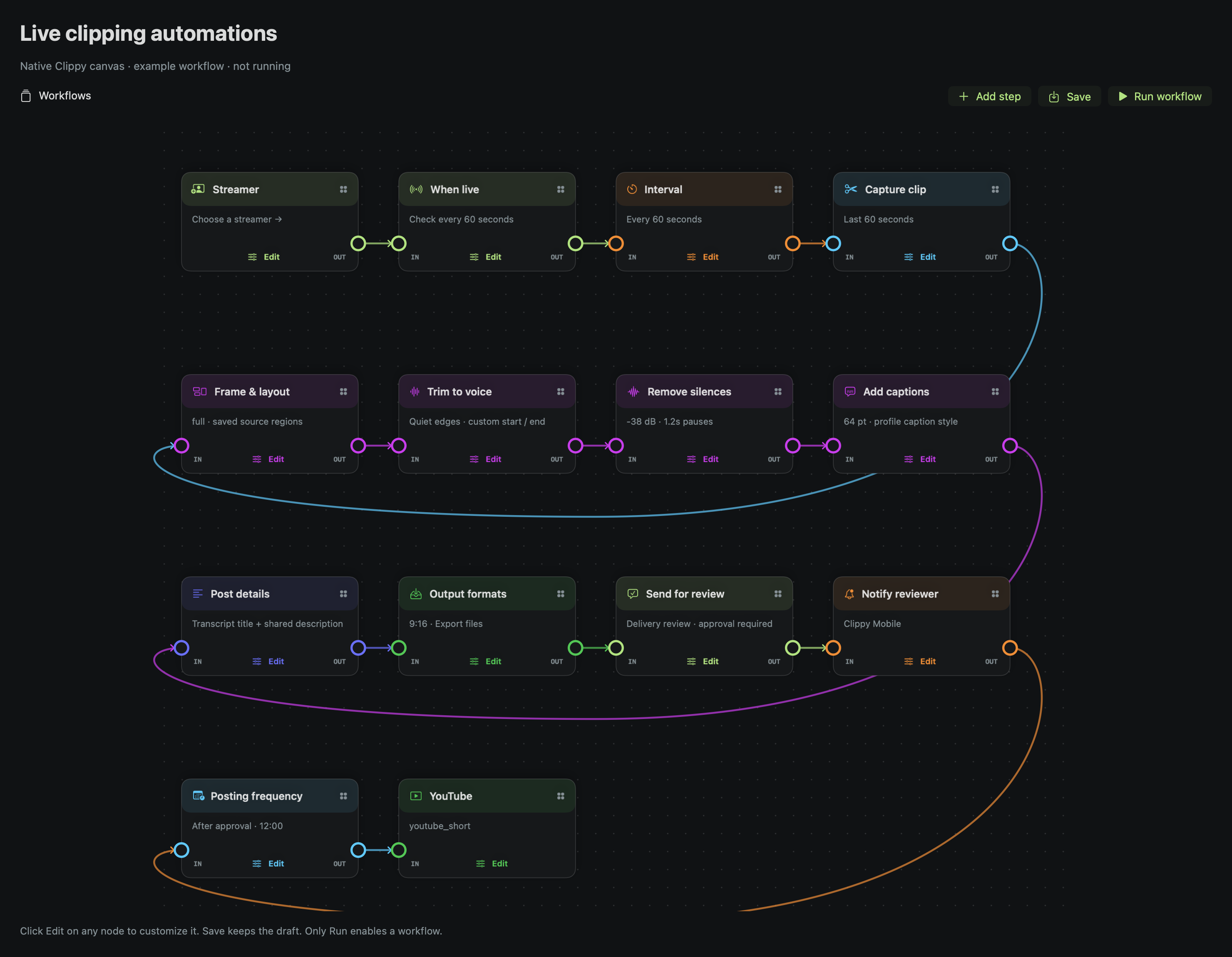
Build the clipping flow you want.
Choose a preset, edit each node in a pop-up, and apply independent workflows to several creators. Keep capture, editing and review visible in one place.
 clippy.CREATOR
NATIVE APP FEATURES · NOVEMBER 3, 2026
Explore Clippy’s tools through real native interfaces with example data. Searchable step-by-step guides remain inside the Mac app’s Walkthrough. Your account shows the currently available installer; a website update does not install a Mac or iPhone app update.
NEW URL WORKFLOW
Build 114 preview — check your account’s available installer
Choose Create review-ready clips in Clippy. Add a completed public YouTube, Twitch or Kick recording or clip, choose your formats, and let your saved editing settings prepare the drafts.
Nothing posts before you approve the finished clip and its destination. Schedule or export after review.
Set up the local editing engine and speech model in Health, keep enough storage available, and use eligible Pro, Agency or legacy full access. This preview does not open new tier purchases. Live streams, channel pages and playlists are excluded. Use footage you own or have permission to edit.
Check account & installer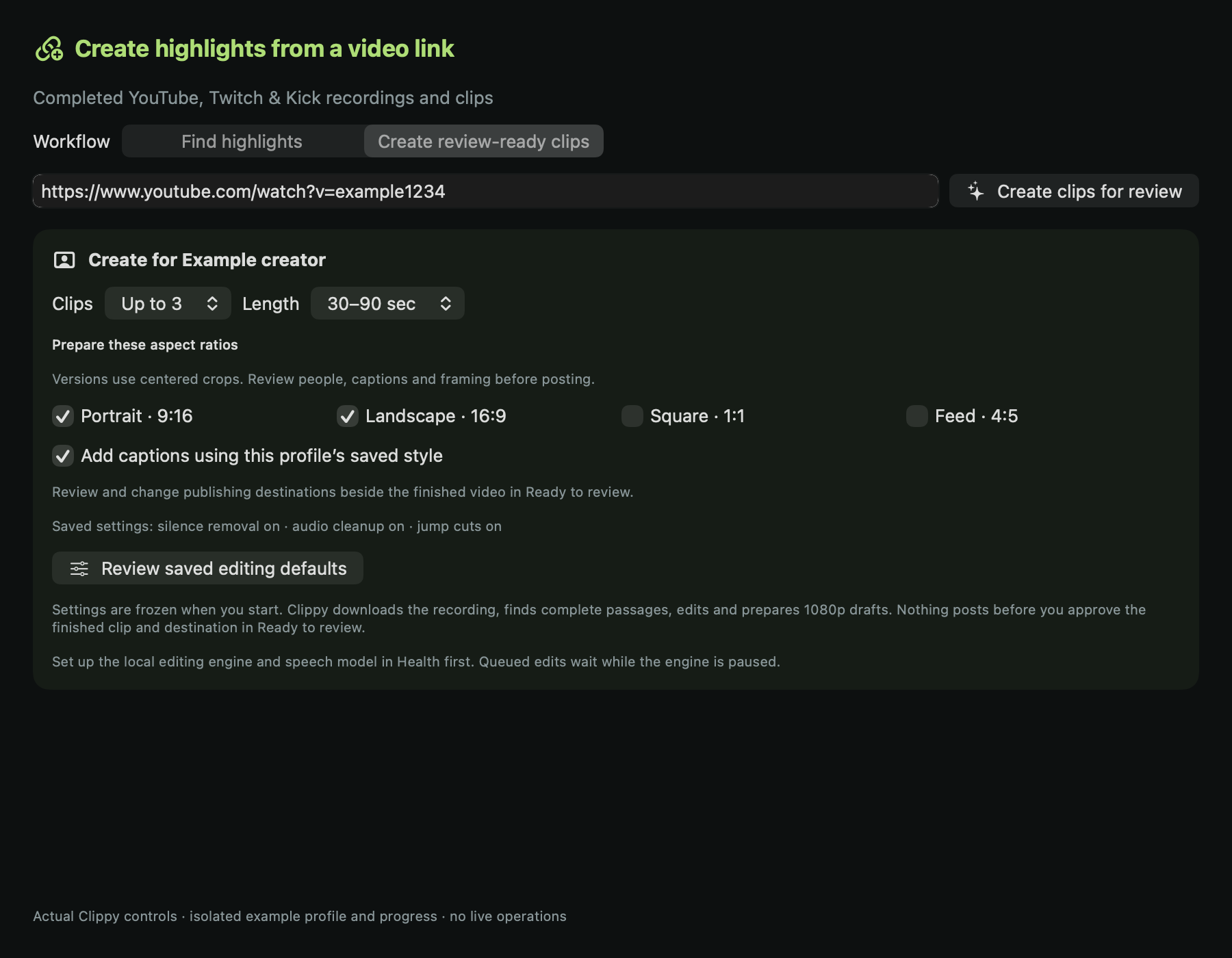
INSIDE CLIPPY · November 2, 2026
Build the process, see what needs attention, and learn how to use it. Explore the native tools for clipping and client work.
Native Mac interfaces, shown with example data. Check your account for the available installer; updating this page does not install an app update.
Choose a preset, edit each node in a pop-up, and apply independent workflows to several creators. Keep capture, editing and review visible in one place.
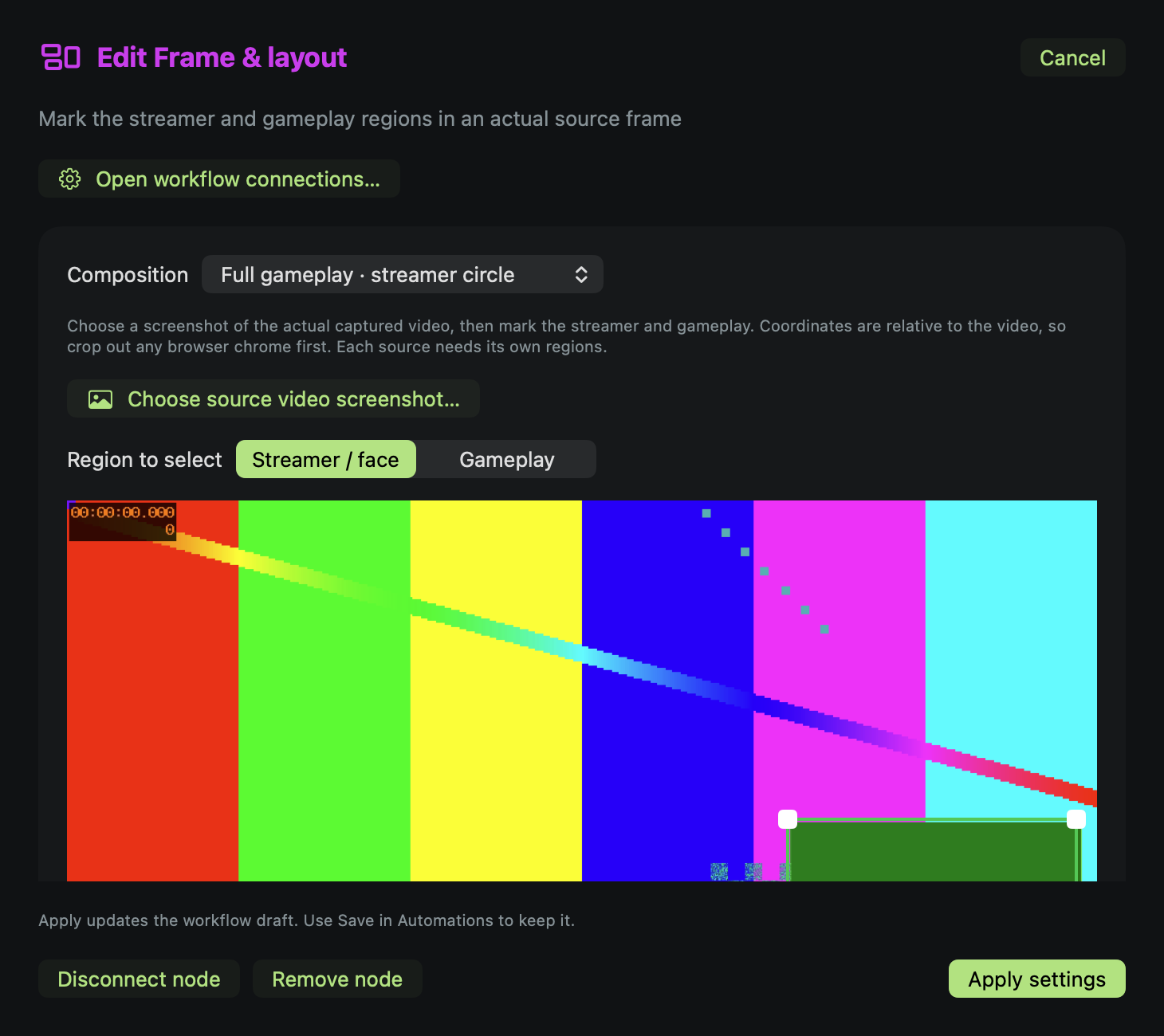
Mark the streamer and gameplay in a source screenshot. Choose top and bottom panels or a circular camera overlay, then place captions where they belong.
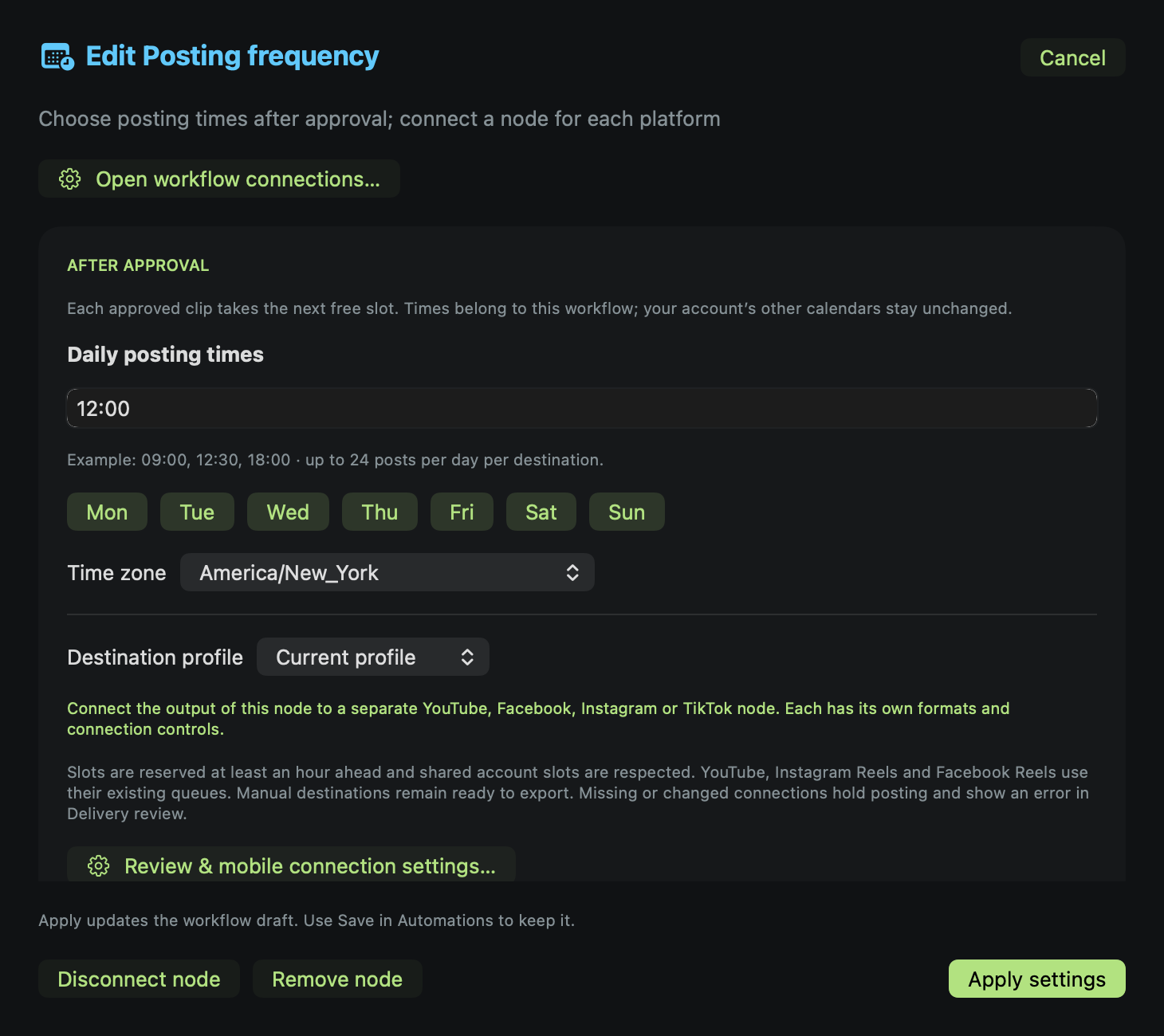
Give review, notifications, posting frequency and each destination their own nodes. Each revision waits for your approval before scheduling can advance.
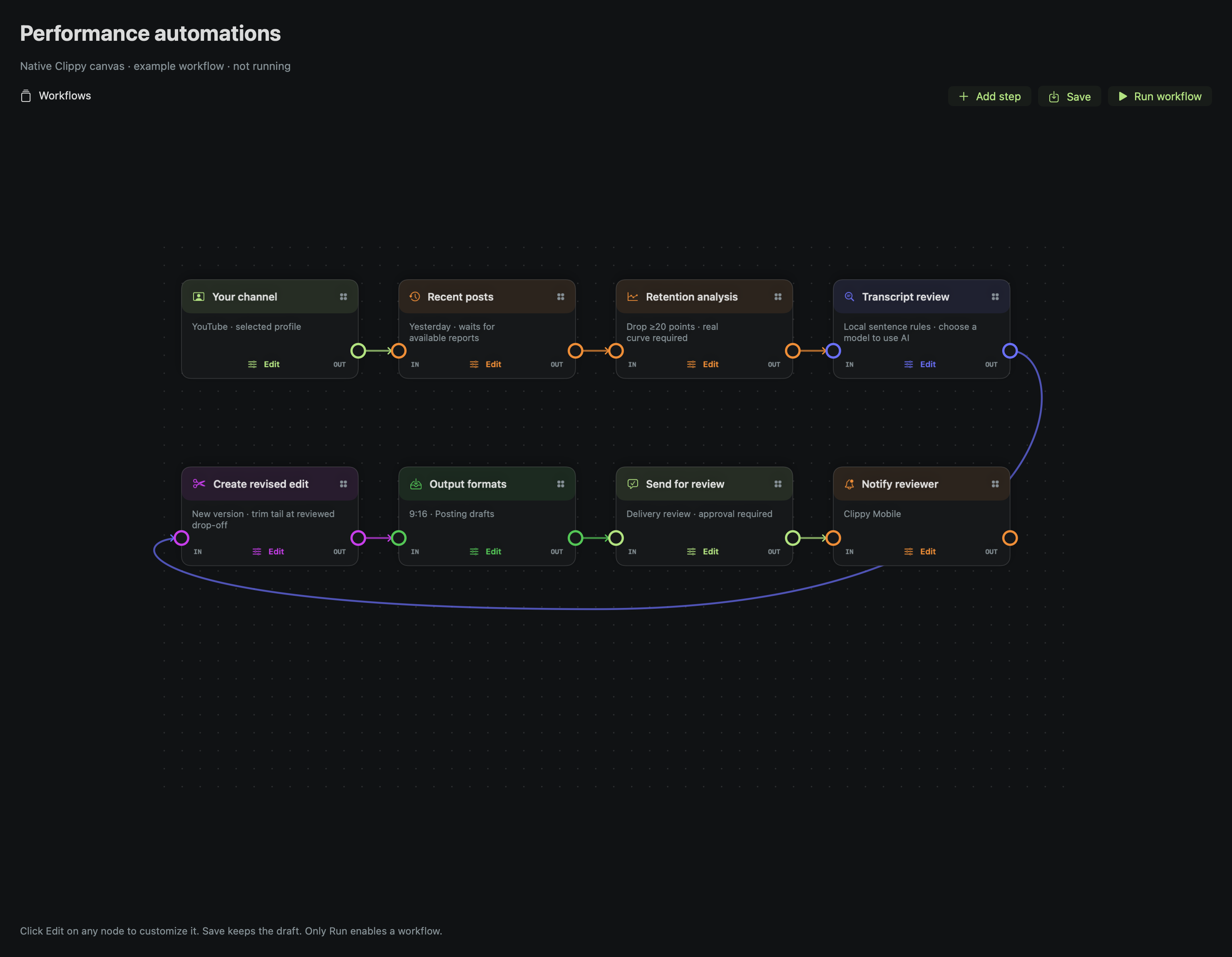
Choose yesterday’s posts or recent uploads, inspect measured retention and review the complete transcript. Create a separate revised edit from linked original footage.
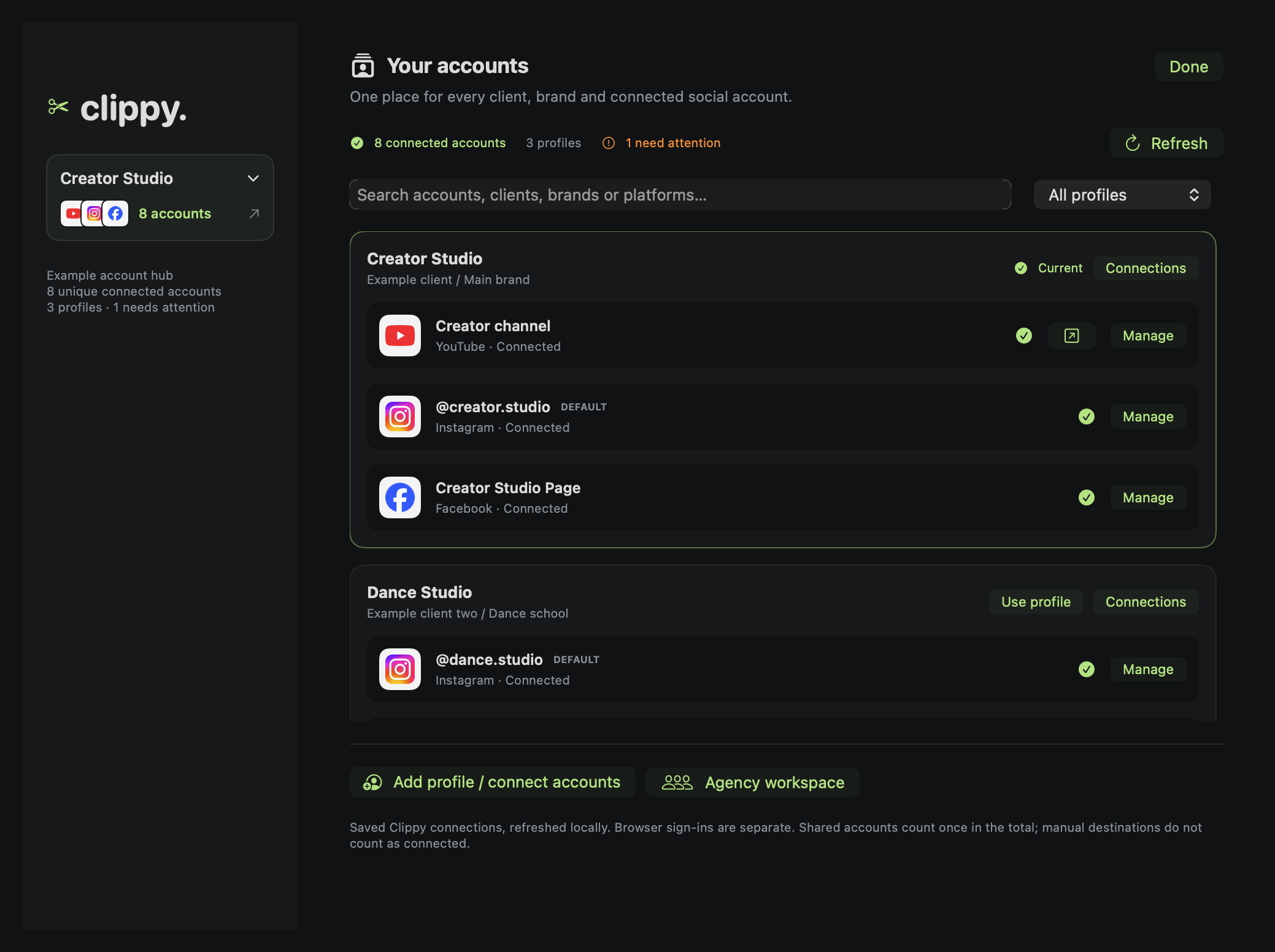
Open the sidebar’s platform logos and connected-account count. Search profiles, inspect accounts needing attention, and manage the right client or business.
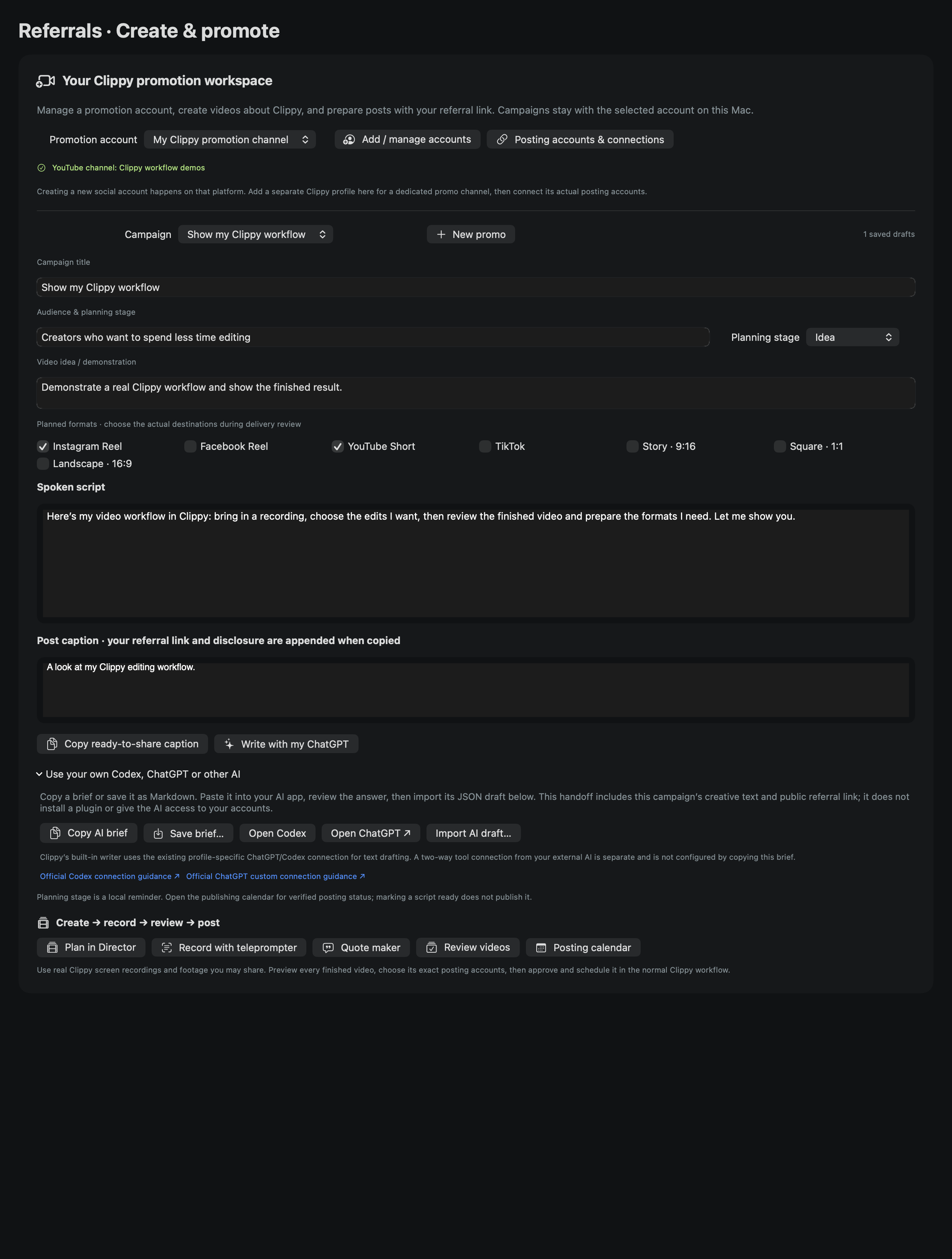
Save campaign ideas, scripts and captions for your Clippy promotion channel. Use the connected writer or hand a creative brief to your own AI, then record and review.
Real interfaces, example data. Screenshots come from Clippy’s native controls in an isolated demonstration workspace. Counts and accounts shown are examples. Open Walkthrough in Clippy’s sidebar for searchable guides and step-by-step help beside your workspace.
Publishing stays explicit. Connected YouTube, Instagram Reels and Facebook Page Reels use their supported queues. TikTok Direct Post needs an approved developer app and individual video review before scheduling. Personal Facebook profiles and Groups use reviewed manual exports. Keep Clippy running and your Mac awake for scheduled uploads. Mobile review uses the paired connection; it is not a background push alert.
Retention needs real evidence. YouTube reports can arrive 48–72 hours later. TikTok’s connected API needs a measured retention import. The first revision strategy trims the tail at a transcript boundary; results are not a performance guarantee.